How To Signup and Login at Every Game
Signing up and logging into EveryGame (Intertops) is very easy, but also very important. All of your signup information must be correct. You may also not open up a second account just for the purpose of collecting bonuses.
How To Signup
The registration steps are very simple and straightforward. To begin, simply click this link to go to the home page.
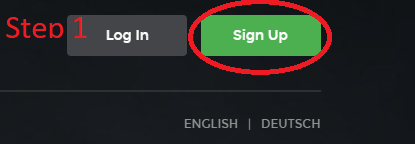
Step 1: To begin, simply click this link to go to the home page. Then click on “
Step 2 Select one of the 4 game sections: SportsBook, Poker, Casino Red, Casino Classic

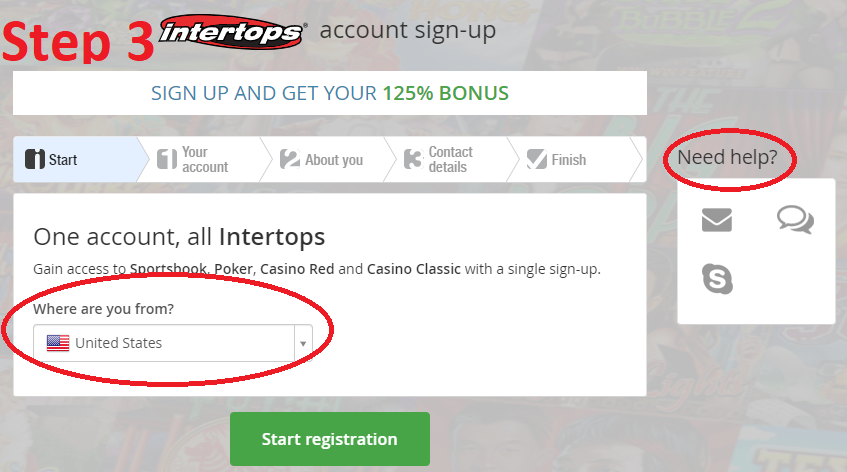
Step 3: Start
Verify your country of residence. If you will be needing help at any point in the signup process simply click on the skype, live chat, or email support icon now.
Step 4: Your Account
Enter the following: Email address, Username, Password, Password Confirmation, Preferred currency. You will also want to enter an email address that you can always access. This is a vital part of your account. It is also advisable to create a unique username and password for this and every website registration. Select the currency that you will use to deposit into the account. Your choices include Canadian Dollar, Danish Kroner, Euro, Norwegian Kronor, Swiss FRancs, US Dollar, and South African Rand. If you need any tips on entering any of this information, you can always ‘hover’ over the ‘?’ for more details. When everything is correct, click ‘next”.


Step 5: About You
Now it is time to enter your basic personal information. Be sure to be accurate so that there are no issues when you need to withdraw and provide documentation to prove your identity. The info required includes Title (Mr. Mrs. Miss), First name, Last name. When everything is correct, click ‘next”.

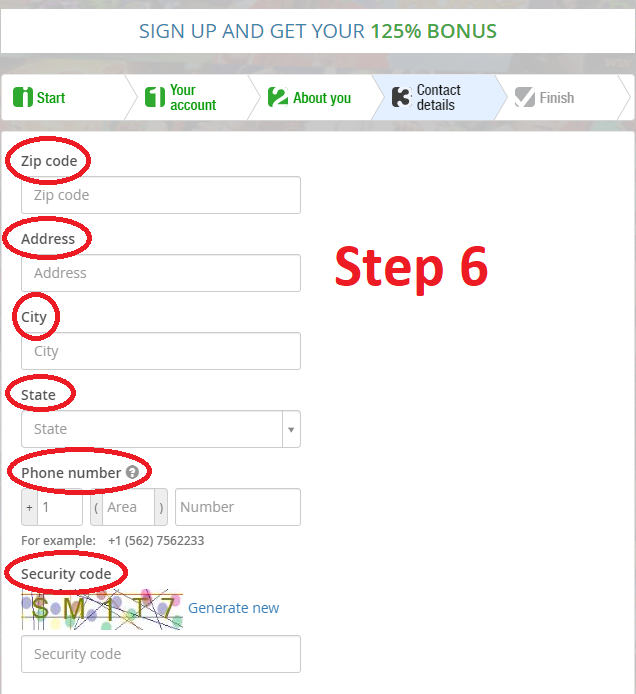
Step 6: Contact Details
Enter your Zipcode, Address, City, State, Phone number, Security code. Once again the contact information you provide must be verified by you with official documentation in order to facilitate a smooth withdrawal process.
Step 7: Finish
You are all finished now with your registration form. Be sure to verify the information in the ‘personal information’ section. At this point, you can make a deposit to the account and start playing the games for real.

Credit Card Options

How To Login

When you are ready to log in and play, just go to the home page and click on enter. Then simply enter your username, password, and the security code issued for this session. If you want your details automatically filled in the next time you log in, just click the ‘Remember me’ icon.


So as you can clearly see. There really are no big surprises or difficulties to registering and log in to Every Game. We also have a complete and updated Every Game review that will explain the benefits and games of trying out this casino.
Note: In nearly Dec 2021, Intertops changed its name to Every Game. The above instructions still reference the old Intertops name. While the name has changed, everything else remains basically the same.
Where To Play
| EveryGame | Welcome Bonuses | 1st Deposit Bonus |
| SportsBook | $200 to $750 | 50-200% match up to $200 (USA and CA bonus 100% up to $250 bonus code 3XBOOST250 – 3 times) |
| Poker | $1,000 + 25 Casino bonus spins | 200% match up to $1,000 + 25 casino spin bonus code 1000EGP with Multiple Casino Game Software |
| Casino Red | $5,555 | 125% match up to $1,000 bonus code SIGNUP1000 on RTG Games |
| Casino Classic | $100 | 100% match bonus up to $100 on WGS Games |